
Choose the WeldVR setup that fits your training.
From complete All-in-One systems to software-only deployment and real welding controllers, choose the WeldVR configuration that best matches your organization.
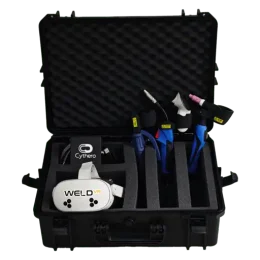
Find the right simulator configuration.
Choose a complete system, deploy software on compatible hardware, add real welding controllers, or combine WeldVR and SprayVerse in one training bundle.
WeldVR Welding Simulator All-in-One
The complete WeldVR system with protective case, headset, real welding torches, software and organization-level training tools.
WeldVR Enterprise Software-Only
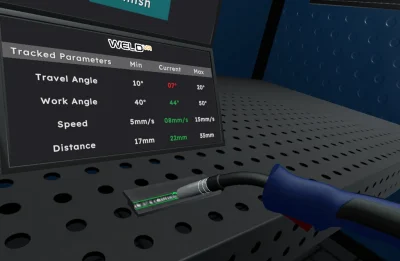
Deploy WeldVR on compatible VR hardware while keeping access to training, user management, analytics and reporting tools.
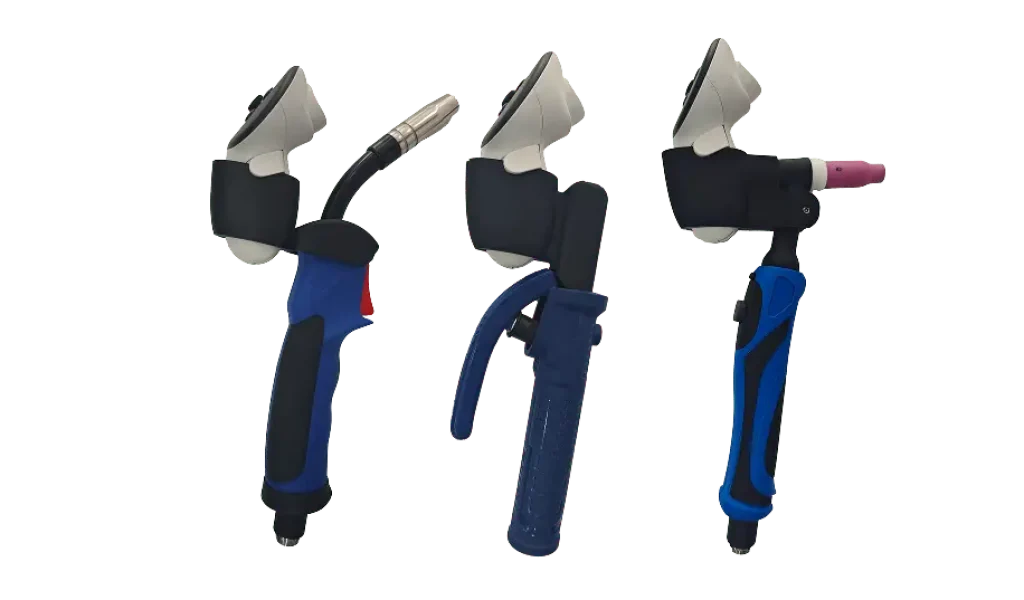
Welding Torches & Controllers
Add dedicated welding controllers for a more familiar training experience with MIG, TIG and Stick-style tools.
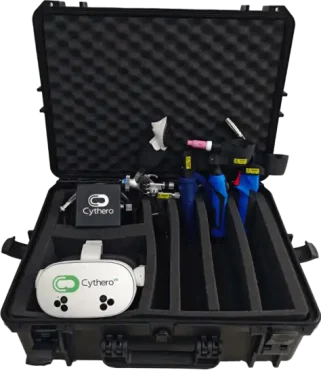
WeldVR + SprayVerse All-in-One Bundle
Combine immersive welding and professional spray painting training in one bundled hardware configuration.
Choose based on what you already have.
The right configuration depends on whether you need a complete ready-to-use system, already own compatible hardware, or want to expand an existing setup.
Need everything?
Choose the All-in-One system when you want the headset, controllers, software and training platform together in one package.
Already have VR hardware?
Choose Enterprise Software-Only if your organization already has compatible VR hardware and needs the WeldVR training platform.
Expanding your setup?
Add welding controllers or choose the WeldVR + SprayVerse bundle to broaden the training capabilities available to your organization.
Not sure which WeldVR option is right for you?
Tell us about your training environment and existing hardware, and we can help you choose the most suitable configuration.