
Welding training, reimagined
What Is a Welding Simulator?
A welding simulator uses virtual reality to create a realistic, repeatable training environment where learners can build technique, understand processes and receive immediate feedback before moving to live welding.
The simple definition
A digital space for building real welding skills
Inside a VR headset, the learner works with virtual equipment and materials in an environment that closely resembles a welding workspace. Their physical movement controls the torch while the software simulates the arc, workpiece, joint and weld response.
This makes it possible to repeat exercises, test settings and refine technique without consuming wire, electrodes, gas or metal during the simulation stage.
How it works
From headset to useful feedback
Each session turns practice into a repeatable learning cycle that trainees and instructors can review.
Enter the workspace
Put on the VR headset and work inside a controlled, immersive welding environment.
Choose the exercise
Select a welding process, joint type, position and the relevant training settings.
Practice the weld
Manipulate the virtual torch and workpiece while the simulator responds to technique.
Review performance
Use scores and visual reports to understand results, identify weaknesses and repeat.
Feedback that guides improvement
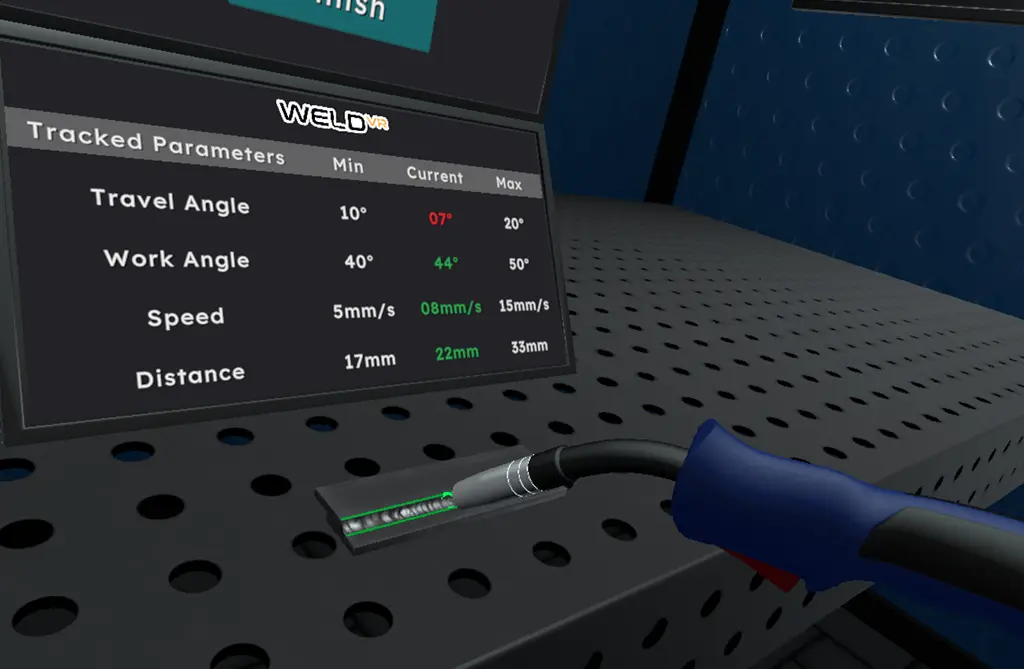
See what happened during the weld
WeldVR evaluates key parts of welding movement and performance. This helps learners connect what they felt during an exercise with clear, objective results.
What WeldVR offers
More than a virtual welding scene
The platform combines simulation, guided learning and assessment in a single training system.
Realistic simulation
Practice in a virtual environment designed to reproduce the core behavior and decisions involved in welding.
Performance analysis
Turn each session into measurable results that make strengths, inconsistencies and progress easier to identify.
Interactive lessons
Use structured learning modules to understand equipment, techniques, settings and common welding defects.
Guided repetition
Repeat an exercise as often as needed while using consistent parameters and objectives for every attempt.
Objective scoring
Give trainees a clear reference point beyond observation alone, supported by numerical scores and visual reports.
Flexible delivery
Support classroom, training-center and on-site use with portable hardware and scalable software options.
Processes in WeldVR
Practice three essential welding processes
Learners can develop process-specific technique across different joints and welding positions within the same platform.
Metal Inert Gas
Build consistency in torch movement, travel speed, distance and working angle.
Tungsten Inert Gas
Develop controlled movement and coordination for precise welding practice.
Shielded Metal Arc
Practice electrode control, arc length, angle and travel technique.
Why use simulation?
A safer first step into welding
Simulation supports early practice and targeted repetition before learners work with live equipment and materials.
Safe, low-risk practice
Learn core movements without exposure to heat, sparks, fumes or the immediate risks of live welding equipment.
Lower material use
Repeat foundational exercises without consuming metal, wire, electrodes or shielding gas during simulation.
Immediate feedback
See how speed, angle and distance affect the result while the movement is still fresh.
Repeatable assessment
Compare attempts under consistent conditions and track development over time.
Flexible access
Create more opportunities to practice across classrooms, training centers and mobile programs.
Simulation prepares learners for hands-on welding—it does not replace it.
VR practice is most effective as part of a blended training pathway: build process understanding and motor skills in the simulator, then apply them with real equipment under instructor supervision.
All-in-One package
A complete, portable training system
The WeldVR All-in-One package brings the main hardware, simulation and performance tools together for classroom or on-site use.
- VR headset
- MIG torch
- TIG torch
- Stick holder
- WeldVR software
- Performance tracking
- Analytics platform
- Protective hard case
Welding simulator FAQs
Questions, answered.
The essentials for learners, instructors and training organizations.
What is a welding simulator?
It is a training system that uses virtual reality and physics-based models to replicate welding processes. It allows students and professionals to practice MIG, TIG and Stick welding in a safe digital environment while receiving objective performance feedback.
Can welding simulators replace real welding practice?
No. Welding simulators prepare learners for hands-on welding by building process understanding, motor skills and safety awareness. This can make the transition to live welding more focused while reducing early material waste and instructor workload.
How realistic are VR welding simulators?
Modern VR welding simulators such as WeldVR reproduce arc behavior, weld pool formation, electrode angle, travel speed, heat input and joint geometry. This helps trainees develop correct movement and technique before working on real materials.
Are welding simulators suitable for beginners?
Yes. Guided exercises allow beginners to repeat welding fundamentals without safety risks, consumable costs or material waste before progressing to real equipment.
What equipment is included in WeldVR?
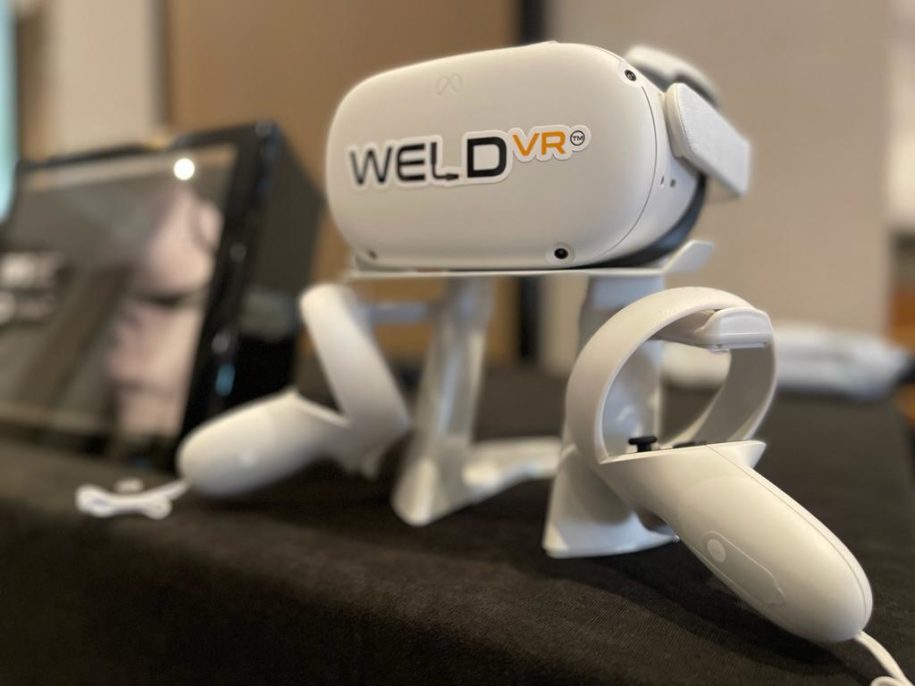
The All-in-One WeldVR simulator package includes a VR headset, real welding torches for MIG, TIG and Stick welding, simulation software, analytics and performance tracking, and a portable protective transport case.
Can instructors track student performance?
Yes. WeldVR records parameters such as arc length stability, work and travel angle, travel speed, heat input, bead consistency and defects. Numerical scores and visual reports help instructors monitor progress, compare results and identify specific areas for improvement.